

Auto-Schedule, or "Waterfall" ticketing is tiered ticketing that allows you to release a ticket...
Add a description, set sell-through for sections and ticket types, and sell tickets in multiples!
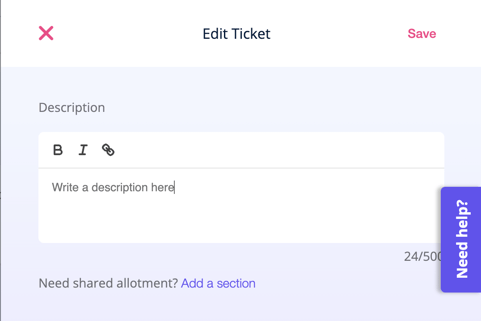
Add a Description
To add a description, write in the "Description" box in the ticket editor. The description will show up directly below the ticket name on the event checkout page. You can even add links to relevant pages (think festival amenities, merch, artist pages, or sponsors).
Set Sell Through Limits per Ticket Type and Sell in Multiples
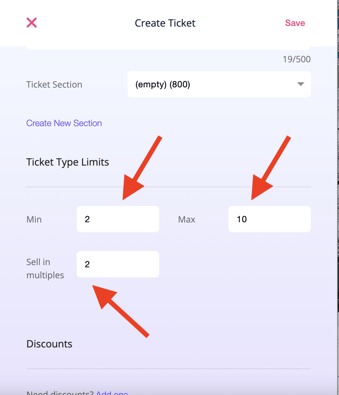
You can add limits to ticket sales under "Ticket Type Limits." The min and max numbers control the minimum and maximum quantity of tickets that can sell for that ticket type (per order). You can also choose to sell tickets in multiples, so your ticketbuyers can only buy tickets in groups of 2s, 3s, or more if needed. Sell 4 packs, easily sell BOGO tickets, lots of flexibility here.
Set Sell-Through Limits in your Sections
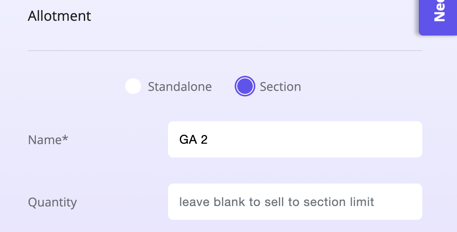
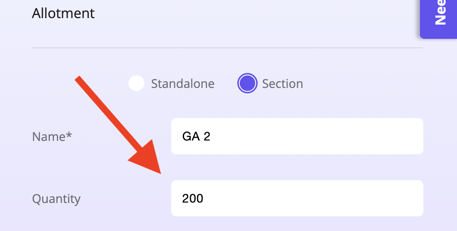
You can also now add ticket quantities to individual ticket types in a ticket section; however, you can still leave this blank to have the ticket sell to the section limit. Maybe you have 300 cap room but a balcony cap of 50 -- this way you can sell to that limit with only one section!
Have questions? Feel free to contact us at clientsupport@venuepilot.co or click here to read about the new features in our ticketing support article.